
Guide
How to switch smartwatch without losing your data history
Buying a new watch, or moving to a ring, and worried about leaving years of steps, sleep and heart rate behind? The problem is that every brand locks your history inside its own app. FitMesh keeps it off the device and merges different brands into one dashboard that survives every switch.
TL;DR
- Changing wearable brand usually breaks your history: every manufacturer app restarts from an empty chart.
- FitMesh keeps your history on your account, independent of the device.
- It merges different brands into one deduplicated dashboard: via Health Connect on Android, Apple Health on iPhone (available, including all European Union storefronts), and the Colmi ring over Bluetooth.
- Connect FitMesh before the switch to pull in your recent baseline; run both devices in parallel for a few days for a gap-free transition.
- Change watch or ring as many times as you like: the data stays yours.
You just ordered a new watch, or you are moving from a watch to a ring. The question that often stalls the purchase is always the same: what about all the history I have built up over the years? Steps, sleep, heart rate, workouts, months or years of data living inside the old device's app. Changing brand usually means starting over from an empty chart. Be careful not to mix up two different cases: this is not about going from Android to iPhone (that is an operating-system change, covered in From Android to iPhone: how not to lose your fitness data). This is about changing the brand or model of the wearable itself: you stay on the same phone, but your Garmin watch becomes a Galaxy Watch, or your Fitbit becomes a Colmi ring. Let's look at why the history breaks and how to keep it whole.
Why changing brand breaks your history
Every manufacturer keeps your data inside its own app and its own servers. Garmin in its ecosystem, Fitbit in its own, Samsung in its own, Xiaomi and Amazfit in their respective companion apps. They are silos: designed to work well as long as you stay within the same brand, not to let you walk out with your whole history in hand. When you buy a device from another brand, the new app starts from scratch. The old history does not transfer: it stays frozen in the previous app, the one you will slowly stop opening. Neither app shows you the continuous line of your story, before and after the switch.
- Your steps and calories history splits into two separate charts, one per app.
- Sleep with its stages (light, deep, REM) restarts from zero in the new app.
- Resting heart rate and HRV trends lose their point of comparison with the previous months.
- Workouts recorded with the old device stay in the old app, not the new one.
- If you switch brands again later, the problem repeats and you now have three places to check.
Continuity lives in the cloud, not in the device
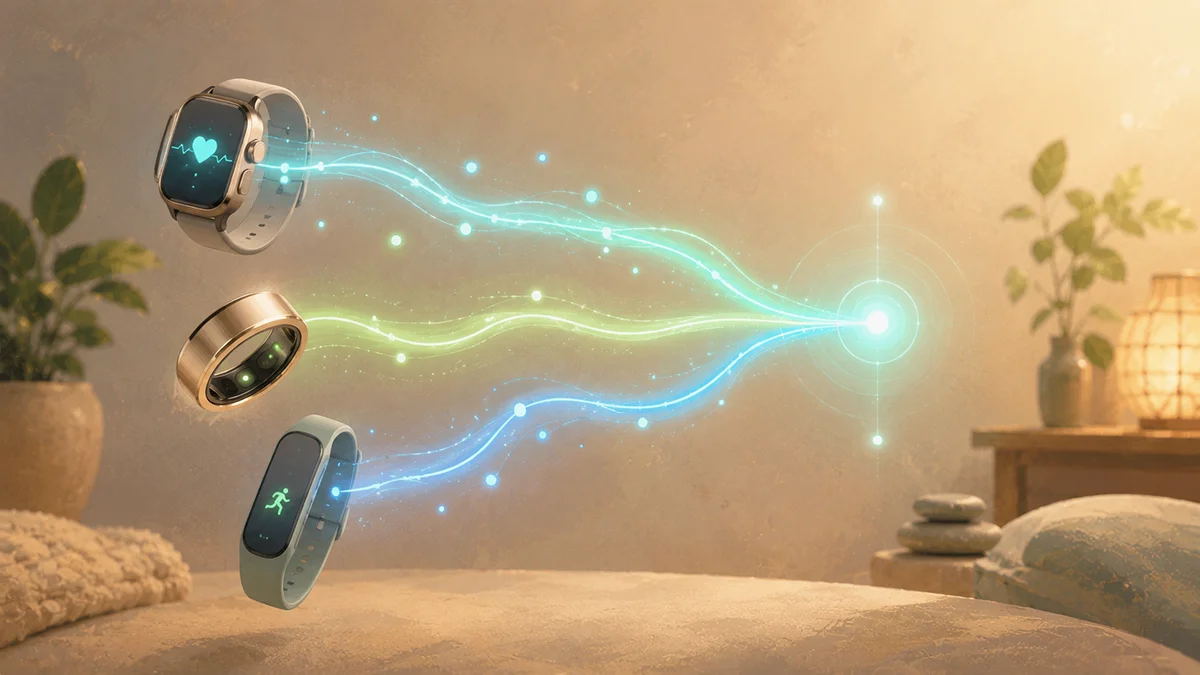
FitMesh flips the logic: instead of tying your history to a device, it keeps it on your account. The watch or ring is only the source of the moment's data; if you change hardware tomorrow, the source changes but the history stays the same, on the same account. FitMesh Sync reads the health data from your wearables and shows it in a unified web panel, deduplicated: in most cases the same step is not counted twice, even if you run two devices in parallel for a few days. You can view everything from any browser, as we explain in See your wearable data from a PC browser, and if you wear several devices at once the dashboard merges them without counting the data twice.
Checklist: before, during and after the switch
- Before: install FitMesh Sync on Android while you are still using the old device and connect it, so your recent history enters your account right away.
- Before: check that the old watch writes to Health Connect and let it sync for a few days, to pull in the historical baseline.
- During: once the new wearable arrives, connect it to its companion app (or, for the Colmi ring, directly to FitMesh over Bluetooth) and grant the Health Connect permissions.
- During: keep both devices active for a few days if you want a soft transition; deduplication prevents double counting in most cases.
- After: open the web dashboard and check that the line of steps, sleep and heart rate continues with no gaps across the switch date.
- After: once you are confident, you can stop wearing the old device; the history stays in your account anyway, independent of the hardware.
A
With the manufacturer app alone
- •History is tied to the brand: change device, start from an empty chart.
- •Every switch adds one more app kept around just to look at the past.
- •Before/after comparisons are impossible: the data lives in separate silos.
- •If you close the old account, you risk losing the history.
B
With FitMesh
- •History lives on your account, not on the device.
- •Different brands flow into one dashboard, deduplicated.
- •The timeline continues across the hardware change.
- •Change watch or ring as often as you like, the data stays yours.
| Switch | With the manufacturer app alone | With FitMesh |
|---|---|---|
| Garmin to Galaxy Watch | Two separate histories | One continuous history |
| Fitbit to Colmi ring | Sleep restarts from zero | Sleep and steps continue |
| Xiaomi or Amazfit to Pixel Watch | Split charts | A single timeline |
| Watch to ring (or the other way) | Different apps, no comparison | Day/night fusion in one panel |
| Second switch within a year | Three apps, three histories | Always the same account |
Frequently asked questions
If I change smartwatch brand, do I lose my data history?+
With the manufacturer apps alone, effectively yes: each app starts from zero and the past stays in the old one. With FitMesh, no: your history is tied to your account, not to the device, so it stays there even when you change watch or ring.
Does it work across different brands?+
Yes. On Android FitMesh reads data via Health Connect, which most manufacturer apps write to, and reads the Colmi ring directly over Bluetooth. Different brands thus flow into the same dashboard, deduplicated. On iPhone the app (already live on the App Store) reads Apple Health natively and connects directly over Bluetooth to the Colmi Ring — never through Health Connect, which is Android-specific.
What happens to the old device's history?+
The history already pulled into your FitMesh account stays there, whether you stop using the old device or uninstall its app. That is why it pays to connect FitMesh before the switch, so you also bring in the recent baseline.
Do I need to keep two devices together during the transition?+
It is not required, but it can help. If you keep the old and the new active for a few days, deduplication avoids counting the same steps twice in most cases, and the transition comes out gap-free. When you are ready, stop wearing the old one.
Do I need a subscription?+
The Android app is available now with the web dashboard included. The first 1,000 founder sign-ups (by July 31, 2026) got lifetime Pro free. Today there is a full 14-day trial, then you keep FitMesh with a small subscription (about a coffee every six months) or a one-time lifetime unlock (less than a pizza). There is no permanent free plan; the current price for your country is shown in the app.
Is the ring or watch data medical grade?+
No. Steps, heart rate, SpO2, sleep and stress are consumer wellness measurements, not diagnostic tools. They are there to show trends over time, not to interpret clinical values.
Disclaimer
FitMesh Sync is an independent product. Garmin, Fitbit, Samsung, Xiaomi, Amazfit, Colmi, Apple, Google are trademarks of their respective owners. This article implies no affiliation or sponsorship.
Medical disclaimer
The information in this article is for informational purposes only and does not replace advice from your physician, pharmacist or healthcare professional. FitMesh Sync is a fitness/wellness app, not a medical device, and does not diagnose or treat any conditions. For symptoms, clinical questions or treatment decisions always consult your primary care physician.
Written by
Matteo Pizzi
Founder & Solo Dev, FitMesh Sync · Fosforonero
Italian software developer. I built FitMesh Sync to fill the gap between my smartwatch and a real personal dashboard. Privacy-first, indie.
More about the projectKeep reading
Guide
How to choose a smartwatch when you want control over your data
Structural privacy, real exportability, avoidable lock-in. An honest guide from a tech advisor, not a vendor.
Guide
Health Connect Duplicate Steps and Workouts: 7 Fixes
The quick solution: identify which apps write the same data, assign the correct priority for Activities and Sleep, break any synchronization loops, and only then delete the incorrect copies. Steps and workouts are not handled in the same way: this guide shows exactly where to intervene.
Guide
Switching from Android to iPhone: how to keep your fitness data
Changing phone should not mean losing your wearable history. Here is how FitMesh brings your Android device data into Apple Health on the new iPhone.