
Guide
Pixel Watch data on your own dashboard: how it works with Health Connect
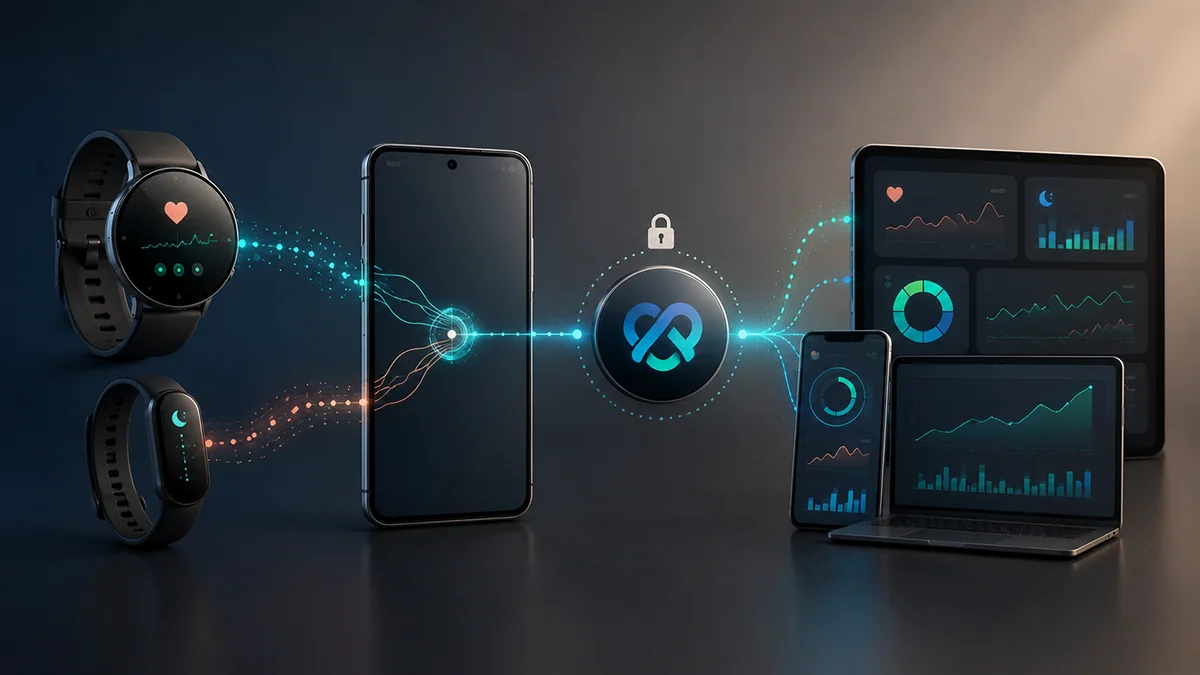
Pixel Watch records everything and syncs it to the Google Health app on your phone (called Fitbit until May 2026). From there, data passes to Health Connect, where FitMesh Sync reads it and puts it in your own single panel, together with the other devices you use.
TL;DR
- Pixel Watch syncs with the Google Health app on your phone (called Fitbit until May 2026); that app writes steps, heart rate, sleep with stages, SpO2, HRV, and calories to Health Connect.
- FitMesh reads from Health Connect and shows it on a personal web dashboard: no API key, no separate Google account to connect.
- Pixel Watch 5 doesn't add new sensors for FitMesh: the real new features (Health Guardian, monthly summaries) stay inside the Google Health app, often behind a subscription.
- VO2max and detailed GPS workout routes don't reach FitMesh: Health Connect on Android doesn't expose them from this source.
- With a smart ring or a second smartwatch, FitMesh picks one winning source per data type: it never adds two devices together.
Pixel Watch records your data and syncs it to the Google Health app on your phone (called Fitbit until May 2026). That app writes steps, heart rate, sleep with its stages, SpO2, HRV, and calories to Health Connect, Android's data repository. FitMesh reads from there and shows it on a personal web dashboard, together with the other devices you use. No API key needed, no separate Google account to connect: you just authorize Health Connect when FitMesh asks.
- Your Pixel Watch measures on your wrist (heart rate, movement, blood oxygen, skin temperature)
- The Google Health app on your phone (called Fitbit until May 2026) receives and syncs the data from the watch
- Google Health writes the data types you've authorized to Health Connect, Android's data repository
- FitMesh Sync reads from Health Connect and shows them on your dashboard at the next sync
| Data | Where it originates | Where it passes through | Where you see it |
|---|---|---|---|
| Steps, heart rate, sleep, calories | Pixel Watch sensors | Google Health app -> Health Connect | FitMesh dashboard |
| SpO2 and HRV | Pixel Watch sensors | Google Health app -> Health Connect | FitMesh dashboard |
| Monthly summaries (blood pressure, sleep breathing quality, insulin resistance) | Google models (Health Foundation Models), calculated | Only inside the Google Health app, requires Google Health Premium | Doesn't reach FitMesh |
| Sleep score, Google Health Coach adaptive coaching | Google Health app, calculated from the data | Stays in the Google Health app | Doesn't reach FitMesh |
| VO2max | Not exposed by Health Connect on Android | - | Not available in FitMesh on Android |
| Detailed workout GPS route | Not exposed by Health Connect from this source | - | Not available in FitMesh |
Pixel Watch 5: what actually changes for FitMesh
The Pixel Watch 5 launch (August 2026) doesn't bring new sensors: Google describes the same sensor set (PPG, accelerometer, barometer) as previous generations, used differently in software. The real new features are on Google's side: breathing emergency detection (Health Guardian), three new monthly summaries calculated by Google models (blood pressure, sleep breathing quality, insulin resistance), and sleep tracking claimed to be 15% more accurate thanks to the watch plus Google Health Coach working together. None of this goes through Health Connect: these are Google Health app features, some behind a Google Health Premium subscription, available only after a month of wear. For FitMesh, the path stays identical to Pixel Watch 1: same Health Connect permissions, same basic data types.
Metrics available in FitMesh
Verified on FitMesh's public release: these are the data types the app reads from Health Connect and shows on the dashboard when they come from a Pixel Watch.
- Steps
- Heart rate (average and resting)
- Sleep with stages (light, deep, REM, awake)
- HRV (heart rate variability, RMSSD)
- SpO2 (blood oxygen saturation)
- Distance
- Calories (active, total, basal)
- Workouts and exercise sessions (duration, heart rate, distance, calories)
- Weight and height (if logged)
- Respiratory rate
- Skin temperature
What stays in Google Health or on the device
Not everything the Pixel Watch measures reaches FitMesh. Some features stay in the Google Health app by Google's design (often because they're calculated, not raw sensor readings), others because Health Connect on Android doesn't expose them from this source.
- VO2max: Health Connect on Android doesn't expose this data type from this source; the FitMesh card stays empty for Pixel Watch data.
- Detailed workout GPS route: doesn't reach FitMesh: no route data type is read from Health Connect for this integration.
- Calculated monthly summaries (blood pressure trend, sleep breathing quality, insulin resistance): processed by Google models (Health Foundation Models), stay in the Google Health app, require a month of wear and a Google Health Premium subscription.
- Sleep score and Google Health Coach adaptive coaching: calculated by the Google Health app, not a Health Connect data type.
- Breathing emergency detection (Health Guardian): a device/app safety feature, not data that passes through Health Connect.
- ECG and irregular rhythm notifications: Google Health app features; check in the app whether your model and region support them.
Using it with a smart ring or a second smartwatch
If you also wear a smart ring or another smartwatch that writes the same data types to Health Connect, FitMesh never adds them together. For steps, it doesn't just pick the higher number: the whole day goes to whichever source looks most consistent and has the best hourly coverage, never to a single hour or interval. If two sources give very different numbers for the same day and nothing reliably decides between them, that day stays marked as uncertain instead of letting a random number win. For heart rate, the choice follows a priority by device type (dedicated chest strap > smartwatch > generic band).
In practice: if your Pixel Watch and your ring give two different step numbers for the same day, FitMesh doesn't show the sum and doesn't just pick the higher number: it shows the number from the source that looks more reliable for that day, usually the one with more hours of data covered. You can see which source was chosen for each metric in the app's dedicated section.
Actual setup
- Open the Google Health app on your phone and check that your Pixel Watch synced recently.
- Install FitMesh Sync on Android (requires Android 9 or later for Health Connect).
- During onboarding, authorize Health Connect for the data types you want to share: you choose which ones, it's not all-or-nothing.
- The first update arrives at the next sync, based on the interval you pick in Settings (default 30 minutes; the technical minimum on Android is 15 minutes). On Android, delays of 1-2 hours due to battery optimization aren't rare.
- If you also use a smart ring or another smartwatch, connect them the same way: FitMesh merges them into the same dashboard, applying the source selection described above.
Common problems
Sources
- Source 1 · blog.google
- Source 2 · developers.google.com
- Source 3 · developer.android.com
- Source 4 · support.google.com
Frequently asked questions
Does the Pixel Watch automatically write to Health Connect?+
Yes, as long as the Google Health app on your phone is installed and synced: it's the app that writes data to Health Connect on the watch's behalf, not the watch directly.
Does FitMesh connect directly to Google Health or a Google account?+
No. FitMesh has no direct integration with Google Health or Google's developer health APIs: it only reads from Health Connect, like any other authorized app on Android.
How long does it take for data to arrive on the dashboard?+
It depends on the automatic sync interval you choose in Settings (default 30 minutes, technical minimum 15 on Android). Manual sync starts immediately. On Android, the operating system may delay background sync for battery saving: delays of over an hour, occasionally longer, are possible even with the shortest interval.
Does FitMesh work with all Pixel Watch generations?+
Yes. Every Pixel Watch generation (from the first to the fifth) syncs with the Google Health app the same way, which then writes to Health Connect: the path to FitMesh doesn't change from one model to another. The sensors available on a given model can differ (skin temperature, for example, isn't on every generation), but the sync mechanism is identical.
Can I use a Pixel Watch and a smart ring together?+
Yes. FitMesh merges them into the same dashboard. For steps it doesn't add the two devices together and doesn't just pick the higher number: for that day it shows the number from the source that looks more reliable. See the "Using it with a smart ring or a second smartwatch" section above for how it's chosen.
Why don't I see the Google Health monthly summaries (blood pressure, sleep, insulin resistance)?+
Because they're not a Health Connect data point: they're calculated by Google's models inside the Google Health app, require a Google Health Premium subscription, and take a month of wear before the first report. FitMesh can't read them, regardless of your plan.
Disclaimer
FitMesh Sync is an independent product. Google, Google Health, Fitbit, Pixel Watch, Health Connect are trademarks of their respective owners. This article implies no affiliation or sponsorship.
Medical disclaimer
The information in this article is for informational purposes only and does not replace advice from your physician, pharmacist or healthcare professional. FitMesh Sync is a fitness/wellness app, not a medical device, and does not diagnose or treat any conditions. For symptoms, clinical questions or treatment decisions always consult your primary care physician.
Written by
Matteo Pizzi
Founder & Solo Dev, FitMesh Sync · Fosforonero
Italian software developer. I built FitMesh Sync to fill the gap between my smartwatch and a real personal dashboard. Privacy-first, indie.
More about the projectKeep reading
Guide
How Health Connect works: the complete guide for Android
Health Connect is not just an app: it's the data exchange layer that lets all Android health apps communicate. Here's what it actually does, how it manages your permissions, and what happens when something doesn't work.
Ecosystem
One app to sync them all: the dashboard that unifies every wearable
Galaxy Watch, smart ring, Garmin, chest strap: your health data is scattered across apps. FitMesh unifies it in one dashboard, no double counting, on Android and iPhone.
Guide
Health Connect Duplicate Steps and Workouts: 7 Fixes
The quick solution: identify which apps write the same data, assign the correct priority for Activities and Sleep, break any synchronization loops, and only then delete the incorrect copies. Steps and workouts are not handled in the same way: this guide shows exactly where to intervene.