Guide
Google Health not syncing: what to check
Data missing from Google Health? Check the device app, Health Connect or Apple Health, Google Health's read permissions, and which features use the data.
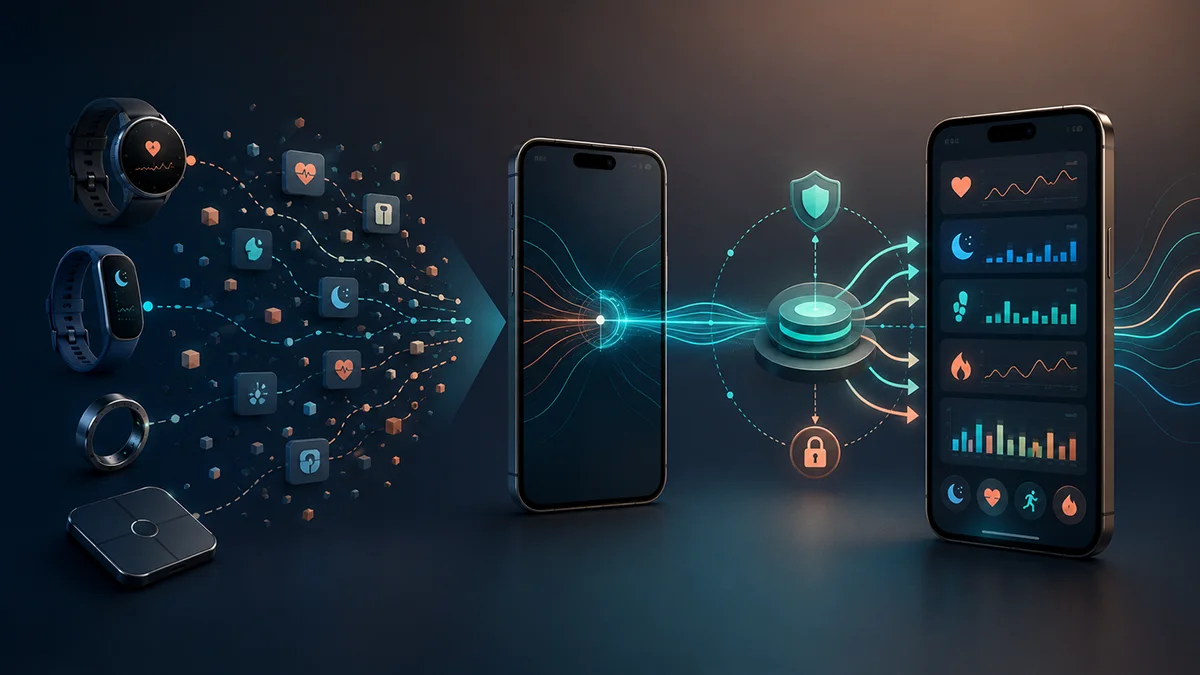
When data of a given type is missing from Google Health, it may have stopped at one of four points: the device or its own app, the write into Health Connect (Android) or Apple Health (iPhone), Google Health's read from there, or a Google Health feature that does not use that data. Check them in this order. Each step says what to look at and what the result tells you. Everything below comes from Google's Help Center pages and, for Garmin, Garmin's support page, all consulted on 2026-11-13; both companies can change them.
This guide is for the Google Health app on Android with Health Connect, or on iPhone with Apple Health. It does not cover problems syncing a Fitbit device itself, which Google handles in a separate help page, or the generic Health Connect fixes such as battery settings or cache, which are in Health Connect not syncing. For what changes when Google Fit goes away and how to move from one to the other, see Google Health replaces Google Fit.
1. Is the data in the manufacturer's app?
Google Health receives data from most third-party devices and apps through Health Connect on Android or Apple Health on iPhone. For some other devices and apps it offers direct connections. It does not connect directly to Garmin devices or to Samsung Galaxy watches.
For those two, Google states that you need to sync the watch or tracker regularly with its own app, Garmin Connect or Samsung Health (shown as "S Health" on Google's page), to get timely updates in Google Health.
For Garmin, step 2 covers what Garmin says about sending data to Health Connect. Open the manufacturer's app and look for the data there. If it is not there, fix the sync between the device and its app first. For problems with the device itself, Google says to contact the device manufacturer or the third-party app.
Source: Google Health Help Center, Connect third-party devices & apps to the Google Health app, consulted 2026-11-13. We have not tested any device. The page does not say how long updates take.
2. Did that data type get written to Health Connect or Apple Health?
Android, Health Connect. Google lists two separate conditions. The first: the third-party app must be allowed to write that data type to Health Connect. Check the permissions of the apps connected to Health Connect and make sure they are set correctly for the data type you are missing.
For Samsung Galaxy watches, Google adds a condition: in addition to enabling Health Connect in the Samsung Health app, you must consent to the processing of health and wellness data in that app. Google's page calls the setting "Consent to the processing of health and wellness data" and puts it in the Samsung Health settings. We have not checked how it is labeled in other languages.
Garmin, on Android. Garmin's own support page says Garmin Connect can send data to Health Connect on Android 14 and above only, in one direction: Garmin does not read data from Health Connect. Sharing has to be enabled; once it is, Garmin says data is sent after each successful device sync. Garmin's page gives no steps for enabling it. The data Garmin lists includes steps, heart rate, sleep stages, calories and activity data such as distance and speed. Heart rate variability measurements are not in Garmin's list, and neither is HRV Status, Garmin's indicator: do not assume they are written to Health Connect. These are two separate requirements from two sources: Google lists Android 9 or higher for Health Connect with Google Health (see the questions below), and Garmin says its sharing feature needs Android 14 or above.
iPhone, Apple Health. Check the third-party apps connected to Apple Health and make sure their permissions are set correctly. You can review them in the Apple Health app.
Sources: Health Connect with the Google Health app, Apple Health with the Google Health app and the page in step 1, consulted 2026-11-13. For Garmin: Garmin Support, Sharing Your Garmin Connect Data With Health Connect, consulted 2026-11-13; the page shows no update date. We have not tested a Garmin device, and we have not checked whether the data Garmin lists reaches Google Health after it leaves Garmin Connect.
3. Can Google Health read that data type?
Android. The second condition from step 2 is that Google Health must be allowed to read that data type from Health Connect. Review its permissions in the Health Connect app. Then, in Google Health:
- Update the app to the latest version, which Google flags as important when Health Connect data does not update.
- Open the app's Health Connect settings (in the English app: Connections, then Partner apps, then Manage Health Connect). That section shows when the last sync happened. "Synced just now", "Synced 1 min ago" or "Synced at" followed by a time means the sync worked. "Syncing" means it is still running. The Sync button starts one by hand.
- If you see "Update Health Connect" or "Review your permissions", Google says you may need to reconnect Google Health with Health Connect.
- Check whether a specific data type arrives: open that metric, then More, then View sources. Google says this lists every source of that data type, including third-party apps connected through Health Connect.
- New metrics need permission before they appear. A "NEW" message on the Health Connect tile signals new data types.
When you set Health Connect up, Google Health lets you choose which data types to share and asks whether to allow access to historic data and data in the background. Choose what you want to share; the choice affects what can sync.
iPhone. Update the Google Health app, then check in the Apple Health app (Sharing, then Apps, then Google Health) that the Google Health permissions are still active. In Google Health, check that Apple Health is still connected and that there is no "New data type available" message: new data types need your permission before they appear. If you reinstalled Google Health, Google says you must reconnect it to Apple Health and grant the permissions again.
Google also publishes tables of the data types Google Health can read and write for Health Connect and for Apple Health. If your data type is not in the relevant table, Google does not list it as one that Google Health reads.
Sources: the two Help Center pages above, consulted 2026-11-13. The menu names are Google's English labels; we have not verified the Italian ones or other languages.
4. Data that is not shared, or not used by every feature
Reaching Google Health is not the same as feeding every feature. Google states that data from third-party apps or devices may not be available for all Google Health metrics, because it depends on what the app or device chooses to share, and that Google Health may not use third-party data as an input for all features. As an example, Google says it currently uses only first-party data to calculate the sleep score and Cardio Load. Values can also differ from the manufacturer's app, because each app calculates values differently from the data it has.
Google lists, per device, data that is not shared with Google Health:
- Garmin: heart rate variability, breathing rate, blood oxygen (SpO2), skin temperature, energy burned by the minute or hour, VO2 max, exercise session maps and routes, and other items on Google's page.
- Samsung Galaxy Watch: floors climbed, skin temperature, resting heart rate, heart rate variability, breathing rate, steps and energy burned by the minute or hour, and other items on Google's page.
Garmin's page does not list heart rate variability, and Google's page lists it among the Garmin data not shared with Google Health. These are two separate statements from two sources, and we do not know how they relate. If the metric you are looking for is on your device's list, its absence is consistent with what Google states. The lists are the ones on Google's page on 2026-11-13 and may change: check the page for your device.
Source: Help Center page in step 1, consulted 2026-11-13. We do not know why a given metric is or is not shared beyond what the page says.
5. History and duplicates
History. On iPhone, Google states that Google Health currently reads and displays three months of historical data from Apple Health. On Android, Google's page does not say how much history Google Health reads from Health Connect, so we give no number.
Duplicates. Google states that Google Health tries to remove duplicate data synced from multiple connections. Its example: an app logs a meal directly to Google Health and then logs it again through Health Connect. "Tries" is not a guarantee. If you see doubled values, check which apps write the same data type. For Strava, Google warns that exporting exercises from Google Health to Strava and importing them back from Strava through Health Connect or Apple Health can create duplicate activity records.
Sources: Apple Health page and the page in step 1, consulted 2026-11-13.
When the data goes the other way
If data recorded in Google Health does not appear in another app connected through Health Connect, Google lists two conditions: Google Health must be allowed to write that data type to Health Connect, and the other app must be allowed to read the same data type. Source: Health Connect page, consulted 2026-11-13.
What we have not verified
- We did not test any device, app or phone: everything above is Google's and Garmin's documentation, not our own test.
- Sync completion times: Google's pages give none, so we give none.
- Whether a specific device app writes a specific data type to Health Connect: that depends on the app and is not in Google's pages. For Garmin, see step 2: we read Garmin's English (en-GB) support page only, we did not compare other language versions, and the page does not say which Garmin Connect or Health Connect versions it refers to.
- Menu names are Google's English labels, as on its pages.
Sources
- Google Health Help Center, Connect third-party devices & apps to the Google Health app, consulted 2026-11-13
- Google Health Help Center, How do I use Health Connect with the Google Health app?, consulted 2026-11-13
- Google Health Help Center, How do I use Apple Health with the Google Health app?, consulted 2026-11-13
- Garmin Support, Sharing Your Garmin Connect Data With Health Connect, consulted 2026-11-13
Frequently asked questions
What do I need for the connection to work?+
On Android, Google lists a phone running Android 9 or higher and signing in to the Google Health app with an adult Google Account. On iPhone or iPad, an iOS device running iOS 16.4 or higher, an internet connection, and an adult Google Account. (Health Connect and Apple Health pages, consulted 2026-11-13.)
Is this the same as the Fitbit Web API shutdown?+
Those changes affect third-party apps that use the Fitbit Web API. Google states that if you use Health Connect or Apple Health, you are not affected by those changes. How the two connections relate beyond that statement is not something Google's pages explain. See Google Health replaces Google Fit for the dates and sources.
Do I need to reconnect after reinstalling Google Health?+
On iPhone, Google says yes: reconnect Google Health to Apple Health and grant the permissions again. For Android and Health Connect, Google's page does not say.
Disclaimer
FitMesh Sync is an independent product. Google, Garmin, Samsung, Apple, Strava, Fitbit are trademarks of their respective owners. This article implies no affiliation or sponsorship.
Medical disclaimer
The information in this article is for informational purposes only and does not replace advice from your physician, pharmacist or healthcare professional. FitMesh Sync is a fitness/wellness app, not a medical device, and does not diagnose or treat any conditions. For symptoms, clinical questions or treatment decisions always consult your primary care physician.
Written by
Matteo Pizzi
Founder & Solo Dev, FitMesh Sync · Fosforonero
Italian software developer. I built FitMesh Sync to fill the gap between my smartwatch and a real personal dashboard. Privacy-first, indie.
More about the projectKeep reading
Guide
Health Connect not syncing: 7 fixes that work (2026)
Disappearing steps, missing sleep data, heart rate not updating. Here's how to diagnose and fix the most common Health Connect problems.
Guide
Google Health vs Google Fit: differences and how to migrate
Google Fit is being replaced by Google Health, but Google hasn't confirmed the data migration has started or finished. Fitbit and Pixel Watch sync their own first-party data directly with Google Health. On Android, Google Health can also read and write certain data types from other devices through Health Connect; on iPhone it can both read from and write to Apple Health, per data type. FitMesh doesn't connect to Google Health directly: it reads from the same verified paths (Health Connect, Apple Health, Samsung Health, direct Bluetooth) and shows everything together.