
Google Health, Google Fit, Health Connect: the guide
Google Health vs Google Fit: differences and how to migrate
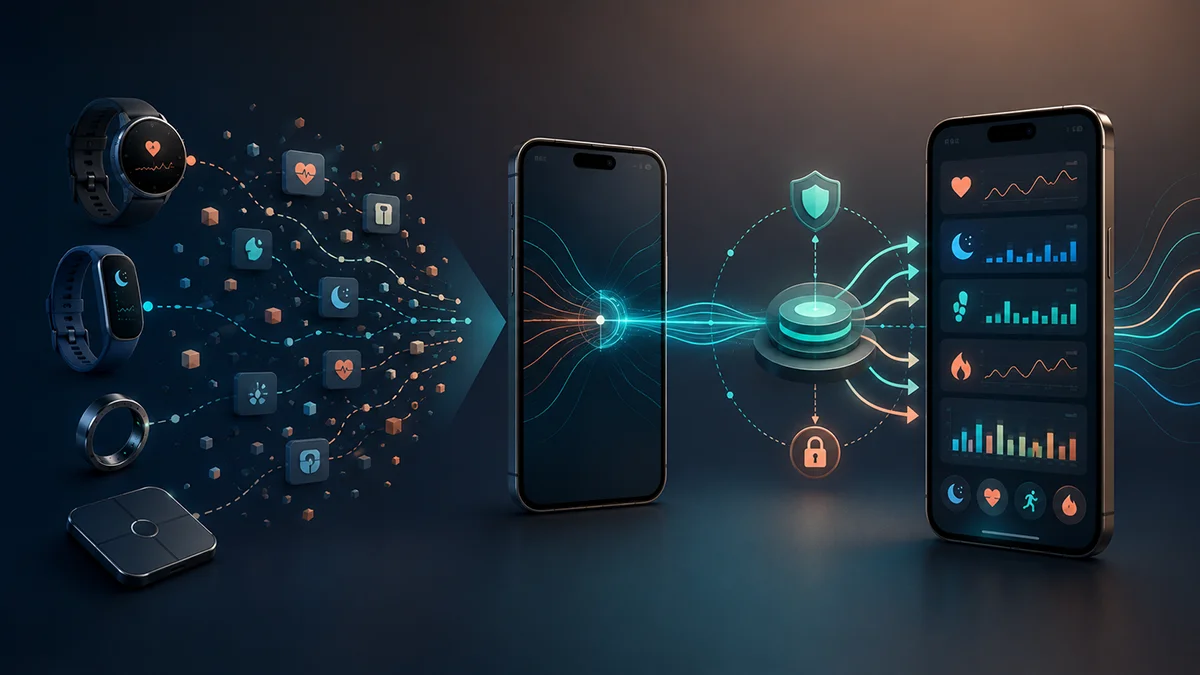
Google Fit is being replaced by Google Health, but Google hasn't confirmed the data migration has started or finished. Fitbit and Pixel Watch sync their own first-party data directly with Google Health. On Android, Google Health can also read and write certain data types from other devices through Health Connect; on iPhone it can both read from and write to Apple Health, per data type. FitMesh doesn't connect to Google Health directly: it reads from the same verified paths (Health Connect, Apple Health, Samsung Health, direct Bluetooth) and shows everything together.
TL;DR
- Since May 19, 2026 the Fitbit app has become Google Health; for most people, the automatic update arrived between May 19 and May 26 (source: Google Health Help Center).
- Google Fit hasn't been retired with a firm date yet: Google announced in May 2026 that it will invite Google Fit users to migrate their data into Google Health later in 2026, without publishing a shutdown date for the consumer app or a migration completion date (source: blog.google).
- Google Health can read and write selected data through Health Connect on Android; on iPhone it can read from and write to Apple Health. Either way it needs consent and permission per data type: it isn't a complete, automatic, or historical sync (source: Google Health Help Center).
- There's no direct link with Garmin: it goes through Health Connect or Apple Health. With Strava there is: Google Health automatically sends new activities, but only going forward, never your history (source: Google Health Help Center).
- Not all third-party data feeds every feature: today Sleep Score and Cardio Load use only first-party Fitbit and Pixel data, even when other devices are connected correctly.
- FitMesh doesn't integrate with Google Health or its API: it reads from Health Connect, Apple Health, the Samsung Health Data SDK, and direct Bluetooth (Colmi ring), and shows everything in one dashboard.
What happened to Fitbit and Google Fit
The Fitbit app became Google Health on May 19, 2026; for most people, the automatic update arrived between May 19 and May 26, 2026 (source: Google Health Help Center, consulted 2026-08-25: ‘Starting May 19, 2026, the Fitbit app will become the Google Health app’). Google Health grew out of the Fitbit app, not Google Fit: it includes the Gemini-powered Google Health Coach (requires a Google Health Premium subscription) and is available on both Android and iOS. Google Fit is a separate, older app: Google announced in May 2026 that it will invite Google Fit users to migrate their data into Google Health later in 2026, without publishing a shutdown date for the consumer app or a migration completion date (source: Google Health blog, consulted 2026-08-25: ‘later this year we will begin migrating Google Fit users into the Google Health app’). As of this check, neither official source states that this invitation has already gone out or that the migration is underway or complete.
| Entity | Audience | Where it runs | Data source | Main function | Relationship with FitMesh | Status verified on 2026-08-25 |
|---|---|---|---|---|---|---|
| Google Health app | Consumer users, iOS and Android | Mobile app (Play Store / App Store) | First-party Fitbit/Pixel Watch data + third parties via Health Connect (Android) or Apple Health (iOS) + a direct link with Strava that sends Google Health activities out (per Google, activities logged in Strava no longer sync into Google Health, checked 2026-10-20) | Personal health dashboard and Gemini coaching (Premium) | No direct integration: FitMesh doesn't read from Google Health | Live, rolling out since 2026-05-19 |
| Google Fit app | Existing consumer users | Android mobile app (legacy) | Its own collection + connected apps via the older Google Fit APIs | Legacy fitness hub, being replaced | None: FitMesh has never connected to Google Fit | Migration invite announced for 2026; no shutdown date published, no confirmation the invite has gone out |
| Health Connect | Developers and users indirectly | On-device, Android only | Any app granted write permission | Local on-device data exchange layer between apps | FitMesh's primary read path on Android | Active; Google Health both reads and writes here, opt-in per data type |
| Apple Health | Developers and users indirectly | On-device, iOS only | Any app granted permission | iOS equivalent of Health Connect | FitMesh's read path on iOS | Active; on iPhone Google Health reads from here and writes to it, per data type (checked 2026-10-20) |
| Google Health API | Developers (cloud/account integrations) | Cloud, platform-agnostic | Fitbit, Pixel Watch, and other third-party device/app data inside the Google Health ecosystem | Successor to the Fitbit Web API for account-based integrations | None: FitMesh doesn't use it in the public release | Active; replaces the legacy Fitbit Web API (end of support September 30, 2026; turn-off October 30, 2026; checked 2026-10-20) |
| Google Fit APIs | Developers (legacy Google Fit integrations) | Cloud/REST, historically cross-platform | Data written by apps connected to Google Fit | Google Fit's legacy APIs (Fit REST, Recording, History, Sensor, Session API) | None: FitMesh never used them | Google says it will be deprecated in 2026 (no exact day published); sign-ups closed since May 1, 2024. A separate deprecation path from the Fitbit Web API |
| Fitbit Web API (legacy) | Developers with legacy Fitbit integrations | Cloud/REST | Fitbit accounts | Direct predecessor of the Google Health API | None | End of support September 30, 2026 and turn-off October 30, 2026 (checked 2026-10-20): anyone using it must migrate to the Google Health API + Google OAuth 2.0 |
Are Google Health and Google Fit the same thing?
No. They're two distinct products. Google Fit was mainly a cloud service with open REST APIs; Google Health is a consumer app built on Fitbit's infrastructure, with a different data model based on Health Connect (Android) and Apple Health (iOS). They don't share the same database: moving from one to the other isn't automatic (see the next section).
What migrates automatically and what doesn't
- Fitbit -> Google Health: automatic. If you had the Fitbit app, it updated itself into Google Health between May 19 and 26, 2026, keeping the same account.
- Google Fit -> Google Health: NOT automatic today. Google announced a future invitation to migrate data (expected later in 2026), but no official source confirms it has already started.
- The safe way to not lose anything: export your Google Fit history with Google Takeout now, before removing the app. Then check what Google Health actually imports once the official invitation arrives.
How third-party device data reaches Google Health
For most third-party devices and apps (Garmin, Samsung Health, Polar Flow, Withings, and others), data reaches Google Health through Health Connect on Android or through Apple Health on iPhone: there's no direct connection (source: Google Health Help Center, consulted 2026-08-25: ‘The Google Health app does not connect directly to Garmin devices’). Strava is the exception: once connected, Google Health automatically sends new activities to Strava, but only going forward from that point, never your history (‘the connection is forward moving, so only new activities will sync moving forward. Historical activities will not sync upon connecting’). Even when third-party data arrives regularly through Health Connect or Apple Health, it doesn't automatically feed every feature: Google states it currently uses first-party Fitbit/Pixel data only to calculate Sleep Score and Cardio Load (‘we currently use first party data only to calculate your sleep score and Cardio Load’).
Health Connect and Apple Health as exchange layers
On Android, Google Health connects to Health Connect in both directions: it can read data that other apps have written there, and it can also write or share its own data so other apps can read it, a separate permission from reading (source: Google Health Help Center, consulted 2026-08-25: ‘Google Health syncs with Health Connect so you can share data between the Google Health app and other third-party applications and services connected to Health Connect... Google Health is allowed to write the data type you want to share to Health Connect [and] the third-party app is allowed to read the same data type’). In practice this means: it needs your consent and a separate permission for every single data type (steps, sleep, heart rate...); not every data type is shared automatically; being able to write doesn't mean a complete, automatic, or retroactive sync of your history. On iPhone, the equivalent bridge is Apple Health: Google Health connects to it to exchange data with your other installed apps, and, according to Google's current help page, the exchange goes in both directions: Google Health can bring in data from your other apps and can also share its own data to Apple Health (source: Google Health Help Center, consulted 2026-10-20: ‘Bring data from your Apple Watch, iPhone, and iPad health and fitness apps into Google Health. Share data from Google Health to Apple Health.’). The same page lists the data types Google Health can read and the ones it can write, and you choose which ones inside the Apple Health app.
Google Health API and Google Fit APIs for developers
There are two separate deprecations here, and they shouldn't be confused. For the legacy Fitbit Web API, Google's developer page lists two dates: end of support on September 30, 2026 and turn-off on October 30, 2026 (source: Google for Developers, consulted 2026-10-20: ‘September 30, 2026 (End of support): Support for the Fitbit Web API ends.’ and ‘October 30, 2026 (API turn-off): The Fitbit Web API will be turned off and will no longer function’). Its direct successor is the Google Health API, which Google describes as the same Fitbit Web API ‘improved and modernized’ and now renamed (‘The Fitbit Web API has been improved and modernized... and is now called the Google Health API’): Google says developers still using the Fitbit Web API + Fitbit Authorization must migrate to the Google Health API + Google OAuth 2.0 as soon as possible. The Google Fit APIs (Fit REST, Recording, History, Sensor, Session API) are a SEPARATE deprecation path, with their own deadline: Google says they will be deprecated in 2026, with no exact day published, and sign-ups are already closed since May 1, 2024 (source: Google for Developers, consulted 2026-10-20). Anyone who used the Fit REST API doesn't have a guaranteed 1:1 replacement: the official migration guide suggests evaluating Health Connect or the Google Health API case by case, without promising full functional equivalence.
- Fitbit or Pixel Watch
- Google Health (first-party data)
- Third-party device or app (e.g. Garmin, Samsung Health)
- Health Connect (Android) or Apple Health (iOS)
- Google Health (with per-data-type permission; on iPhone/Apple Health, read and write)
- Google Health
- Strava (new activities only, direct connection, never your history)
- Compatible device or app (Health Connect, Apple Health, Samsung Health SDK, direct Bluetooth)
- FitMesh (a verified path, never from Google Health)
Where FitMesh fits in
FitMesh doesn't integrate directly with the Google Health app and doesn't use the Google Health API in the current public release. A label like ‘Google Fit’ that you sometimes see in the FitMesh app next to a data point isn't a direct integration: it's just the readable name of the Android package that wrote that data into Health Connect (e.g. com.google.android.apps.fitness), used to show you where a value came from. The real path is always: device or app -> Health Connect (on Android) or Apple Health (on iPhone) -> FitMesh. On Android, FitMesh also reads directly from the Samsung Health Data SDK (for some metrics Samsung Health doesn't always pass through Health Connect) and via direct Bluetooth from supported Colmi rings, without going through any intermediate layer.
When Google Health is enough
If you only use Fitbit or Pixel Watch and want the proprietary features, Sleep Score, Cardio Load, Gemini coaching, the scores calculated on your first-party data, Google Health is enough on its own: it's the experience it was built for, and none of its proprietary features are replicated by FitMesh.
When FitMesh can add value
- You use more than one ecosystem together (say, Garmin and Samsung Health, or a Colmi ring alongside a smartwatch): FitMesh shows them in one dashboard.
- You want a history you can look back through up to a year (7/30/90/365 days) in one view, not spread across multiple apps.
- You want to send your workouts to Strava even from sources Google Health doesn't connect to directly (like Garmin): read syncing with Strava works, but access is limited: new connections require Strava's approval. The published app doesn't yet expose the authorization needed to send individual FitMesh-recorded workouts to Strava.
Why Google Health may not update from Health Connect
If a piece of data is missing or stale in Google Health, check these points in the chain, in order: 1) permissions, both in Health Connect/Apple Health and inside Google Health itself, for that specific data type; 2) whether the source app (Garmin Connect, Samsung Health...) has synced recently: many apps only update Health Connect when opened, or in the background at intervals that aren't guaranteed; 3) whether that data type is actually shared: the list of data Google Health reads/writes through Health Connect is type-specific, not all-or-nothing; 4) whether the feature you're expecting (Sleep Score, Cardio Load) is one of the ones that today only uses first-party Fitbit/Pixel data, in which case no third-party connection will feed it; 5) if the numbers differ between apps, it's often because each one calculates the metric with its own formula, not because one of them is 'wrong'. For the Android-side checks see Health Connect not syncing: 7 fixes.
Limits and regional availability
- Gemini coaching requires Google Health Premium; as of this check, eligible new or returning Google Accounts may get a 3-month free trial (not guaranteed to everyone, and it varies by country and account); paid after that.
- The direct Strava link depends on the integration being active for your account.
Frequently asked questions
Is Google Health the same as Google Fit?+
No. They're two distinct products. Google Fit was mainly a cloud service with open REST APIs; Google Health is a consumer app built on Fitbit's infrastructure, with a different data model based on Health Connect (Android) and Apple Health (iOS). They don't share the same database: to bring your Google Fit history with you, export it via Google Takeout.
What happens to my Google Fit data when the app is replaced?+
The data you've accumulated in Google Fit doesn't disappear automatically, but it doesn't flow to Health Connect on its own either: Google doesn't describe an automatic migration of your history. The safe way to keep it is to export it now via Google Takeout; you can then check what Google Health imports once the official migration invitation arrives.
Does Google Health sync with Strava or Garmin?+
Differently for each. There's no direct link with Garmin: data goes through Health Connect or Apple Health (source: Google Health Help Center, consulted 2026-08-25). With Strava there is: once connected, Google Health automatically sends new activities, but only going forward, never your history. If you also use devices Google Health doesn't connect to directly, FitMesh gives you one dashboard with everything together.
Do I need to pay for Google Health?+
The base app is free and includes steps, sleep, heart rate, and activity history. Google Health Coach (Gemini coaching) requires a Google Health Premium subscription; as of this check, eligible new or returning Google Accounts may get a 3-month free trial, but the offer isn't guaranteed to everyone and varies by country and account.
Will my Garmin, Polar, and Samsung Health data still sync after Google Fit is replaced?+
Yes. Garmin Connect, Polar Flow, and Samsung Health all write directly to Health Connect on Android, independent of Google Fit or Google Health. Your data keeps flowing to Health Connect regardless; if you also want to see it in Google Health, connect Health Connect to Google Health separately.
Why isn't Google Health updating from Health Connect?+
Check in order: permissions for that data type (both in Health Connect and inside Google Health), whether the source app has synced recently, and whether that data type is actually among the ones shared (it isn't all-or-nothing).
Why doesn't Garmin show up in Google Health?+
Because there's no direct connection between Garmin and Google Health: data has to go through Health Connect (on Android) or Apple Health (on iPhone). Check that Garmin Connect has write permission to that layer. The detailed path is in the guide to syncing Garmin with Samsung Health and Health Connect.
Why do the numbers differ between Google Health and another app?+
Often because each app calculates the metric with its own formula (for example Sleep Score or Cardio Load, which today in Google Health use only first-party Fitbit/Pixel data), not because one of the values is wrong.
Disclaimer
FitMesh Sync is an independent product. Google Fit, Google Health, Fitbit, Health Connect, Apple Health, Strava, Garmin, Samsung Health are trademarks of their respective owners. This article implies no affiliation or sponsorship.
Medical disclaimer
The information in this article is for informational purposes only and does not replace advice from your physician, pharmacist or healthcare professional. FitMesh Sync is a fitness/wellness app, not a medical device, and does not diagnose or treat any conditions. For symptoms, clinical questions or treatment decisions always consult your primary care physician.
Written by
Matteo Pizzi
Founder & Solo Dev, FitMesh Sync · Fosforonero
Italian software developer. I built FitMesh Sync to fill the gap between my smartwatch and a real personal dashboard. Privacy-first, indie.
More about the projectKeep reading
Guide
Google Fit API deprecation 2026: how to migrate
Google is deprecating the Google Fit APIs (including the REST API) by the end of 2026: no exact shutdown day has been published. Here we distinguish Health Connect, the Google Health API, and Health Services, and explain how to migrate without losing data.
Guide
How Health Connect works: the complete guide for Android
Health Connect is not just an app: it's the data exchange layer that lets all Android health apps communicate. Here's what it actually does, how it manages your permissions, and what happens when something doesn't work.
Comparison
Where Does Your Galaxy Watch Health Data Actually Go?
Not competitors. They work together. But it matters to understand who does what so you don't disable the wrong one.