
Multi-device operational guide
Apple Watch, Garmin and Polar: a Day with FitMesh
The quick answer: you do not need to replace your devices or settle for siloed data. By capturing different parts of the day with the right tool, FitMesh unifies your metrics in one account, accessible across iPhone and Android.
TL;DR
- Endurance athletes frequently rely on dedicated gear: Apple Watch for sleep and daily wear, Garmin or Polar for long runs or racing, and a company Android phone at work.
- With the same FitMesh account you see the same data on more than one phone, once that data has been synced.
- Three distinct data tiers are preserved: unified review in the FitMesh app, optional selective export to platform frameworks (Apple Health and Health Connect), and proprietary features that stay in vendor apps.
- Technical boundaries are clearly defined: FitMesh does not export sleep to Apple Health in this release, and Polar Flow does not write continuous 24/7 heart rate to Apple Health.
- The personal web dashboard is not yet available. Family Mesh is in development and is not yet available. We haven't announced a release date. What this guide describes is viewed in the FitMesh app for iPhone and Android.
A practical scenario: sleep, training, and routine in different ecosystems
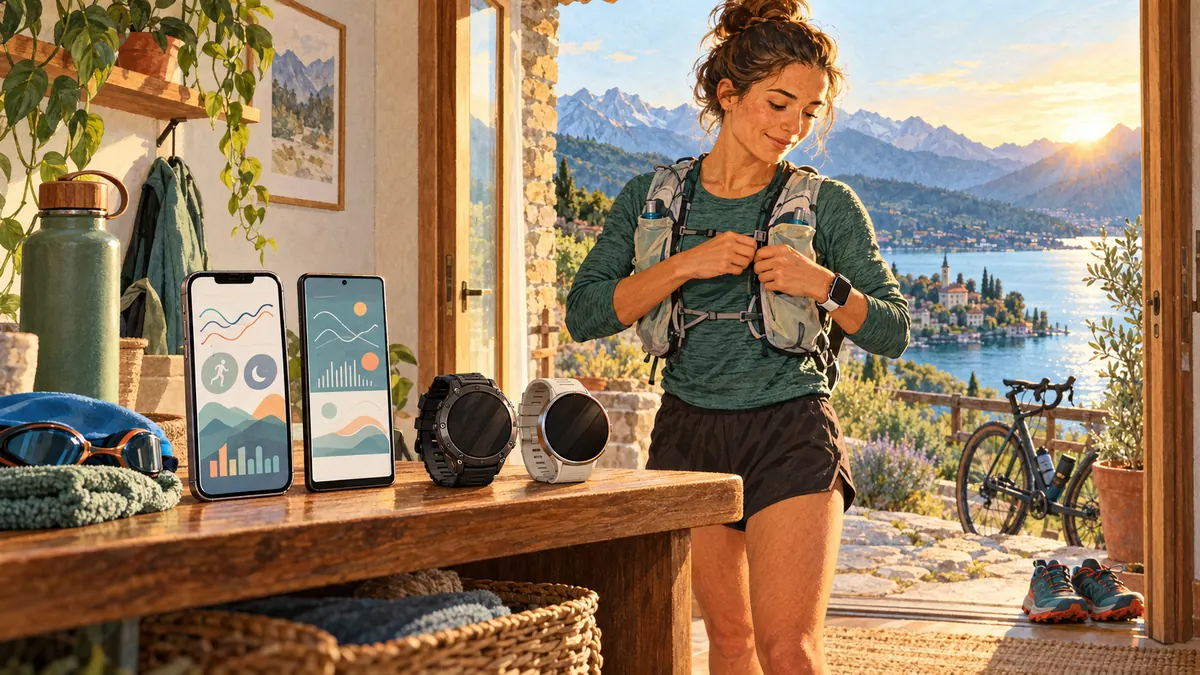
A frequent configuration among endurance athletes and fitness enthusiasts pairs an Apple Watch for sleep tracking, connectivity, and daily routine, alongside a dedicated Garmin or Polar device selected for battery endurance, mapped GPS navigation, and physical buttons during intense sessions. In addition, many carry a corporate Android smartphone (such as a Samsung Galaxy) where checking recovery and daily totals is desirable during working hours.
Without an integration layer, this setup fragments your data: morning steps remain locked in Apple Health, trail running distance sits in Garmin Connect or Polar Flow, and the work phone displays nothing. FitMesh is a mobile application (available for iPhone on the App Store and Android on Google Play) that solves this problem by linking your devices to a single personal account. The concrete benefit is not simply viewing charts: it reconstructs your full day without manually piecing together fragmented records across multiple apps. With the same account you see the same already synced data on your other phone too.
| Hardware source | Vendor companion app | System framework | Read by FitMesh | Optional write-back | Retained in vendor app |
|---|---|---|---|---|---|
| Apple Watch | Watch / Fitness (iOS) | Apple Health (HealthKit) | Steps, sleep, resting HR, HRV (SDNN) | Not applicable (native source) | Activity Rings, proprietary Fitness trends |
| Garmin Forerunner / Fenix | Garmin Connect | Apple Health or Health Connect | Workouts, distance, steps, workout HR | Steps/calories to Health Connect (if enabled) | Body Battery, Training Readiness, Stamina |
| Polar Vantage / Grit X (watch) | Polar Flow | Apple Health or Health Connect | Workouts, workout HR, steps, calories | Consented metrics to Health Connect | Nightly Recharge, Running Index, Cardio Load |
| Polar H10 (chest strap) | Polar Flow / Polar Beat | Apple Health or Health Connect | Workout HR during active session | Session heart rate to Health Connect | Sensor internal ECG recording |
Morning: sleep and wake-up with Apple Watch and iPhone
The day begins with overnight biometric tracking. Apple Watch records sleep stages, resting heart rate, and heart rate variability (reported as SDNN by Apple HealthKit). Upon waking, these values populate the local HealthKit database on your iPhone.
When you open FitMesh on the iPhone, the app reads from Apple Health the data you allowed it to read. Sleep samples and the first steps of the morning are used to build the day's overview. In this version FitMesh does not write sleep to Apple Health. One of the reasons: a sleep stage with a label it does not recognise would be written as light sleep, which is sleep nobody measured.
Training: endurance session with Garmin or Polar
For a long run, trail outing, or cycling session, the athlete switches to a dedicated sports watch. With Garmin, the watch tracks GPS coordinates, elevation, cadence, and heart rate. Back home, the activity syncs to the Garmin Connect companion app via Bluetooth or Wi-Fi.
For this workout to reach your broader ecosystem, sharing must be active in Garmin Connect settings: directed to Apple Health on iOS (as documented in the official Garmin guide for Apple Health), or to Health Connect on Android (as described in the official Garmin guide for Health Connect). For step-by-step instructions on Samsung phones, refer to our guide on syncing Garmin with Samsung Health.
If using Polar instead, the hardware type makes a difference. With a GPS watch (such as Vantage or Grit X), workouts and steps pass from Polar Flow to Apple Health (as detailed in official Polar support for Apple Health) or Health Connect (explained in our guide on Polar synchronization with Health Connect and official Polar Flow Health Connect documentation). Polar documentation notes that the Apple Health connection exports heart rate collected during recorded training sessions, but does not provide continuous 24/7 background heart rate. By contrast, a Polar H10 chest strap has no daily step sensor or autonomous sleep tracking: it measures electrical heart rate during an active session and streams it to Polar Flow or a paired watch.
Work: corporate Samsung Galaxy as a second window
During working hours, your personal iPhone may remain in a bag while a corporate Android phone (such as a Samsung Galaxy) sits on your desk. If you install FitMesh on the Android device and sign in with the same account, you see the data already synced from the iPhone.
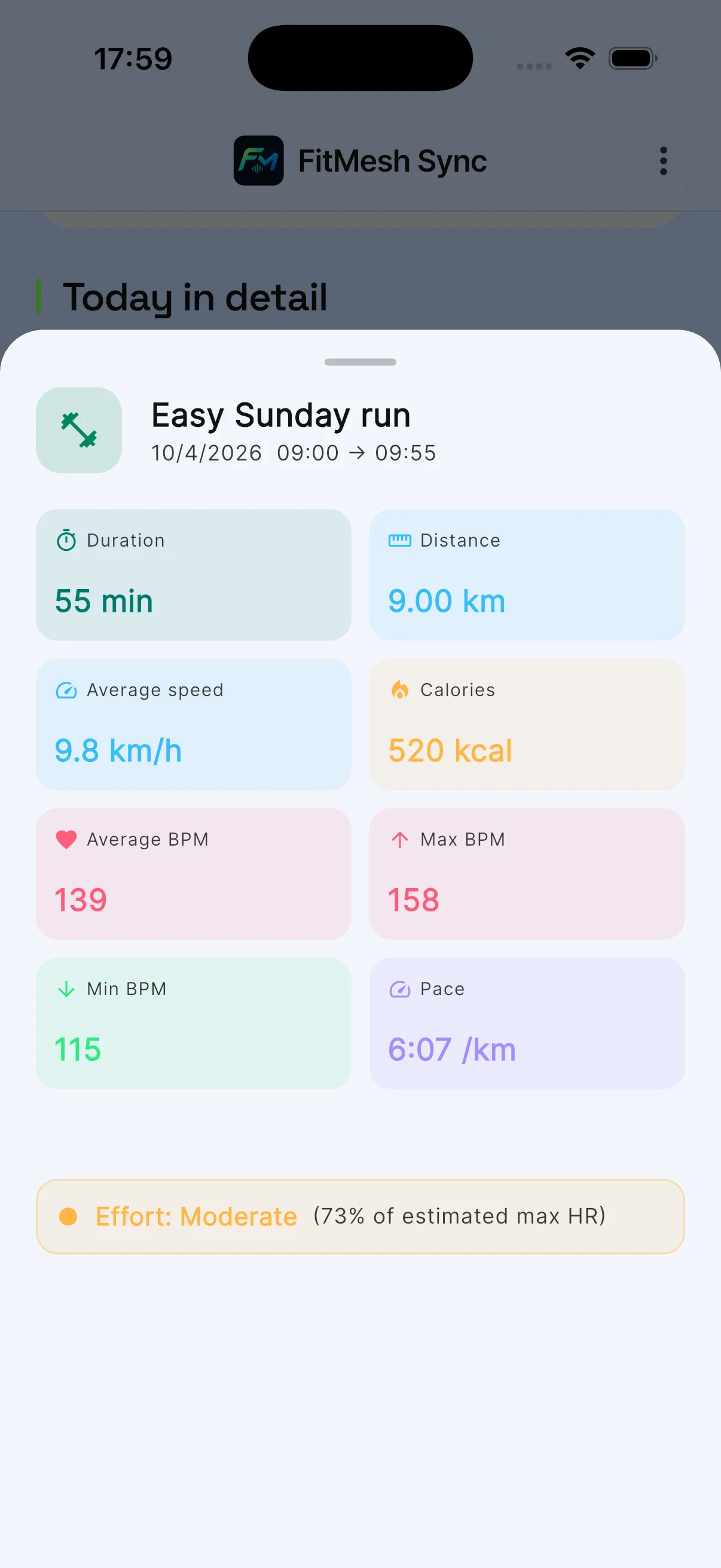
This holds even if the Android phone recorded no data that morning and is not paired over Bluetooth with the Apple Watch or the Garmin. The app shows the day's steps, the previous night's sleep and the morning workout, once they have been synced from the iPhone. If company policy allows it, you can also turn on writing to Health Connect in FitMesh: it is optional, it is switched on with a toggle in the app, and it needs Health Connect permissions. Other authorised apps on that phone can then read the steps FitMesh wrote.
Evening: daily reconciliation and metric fusion
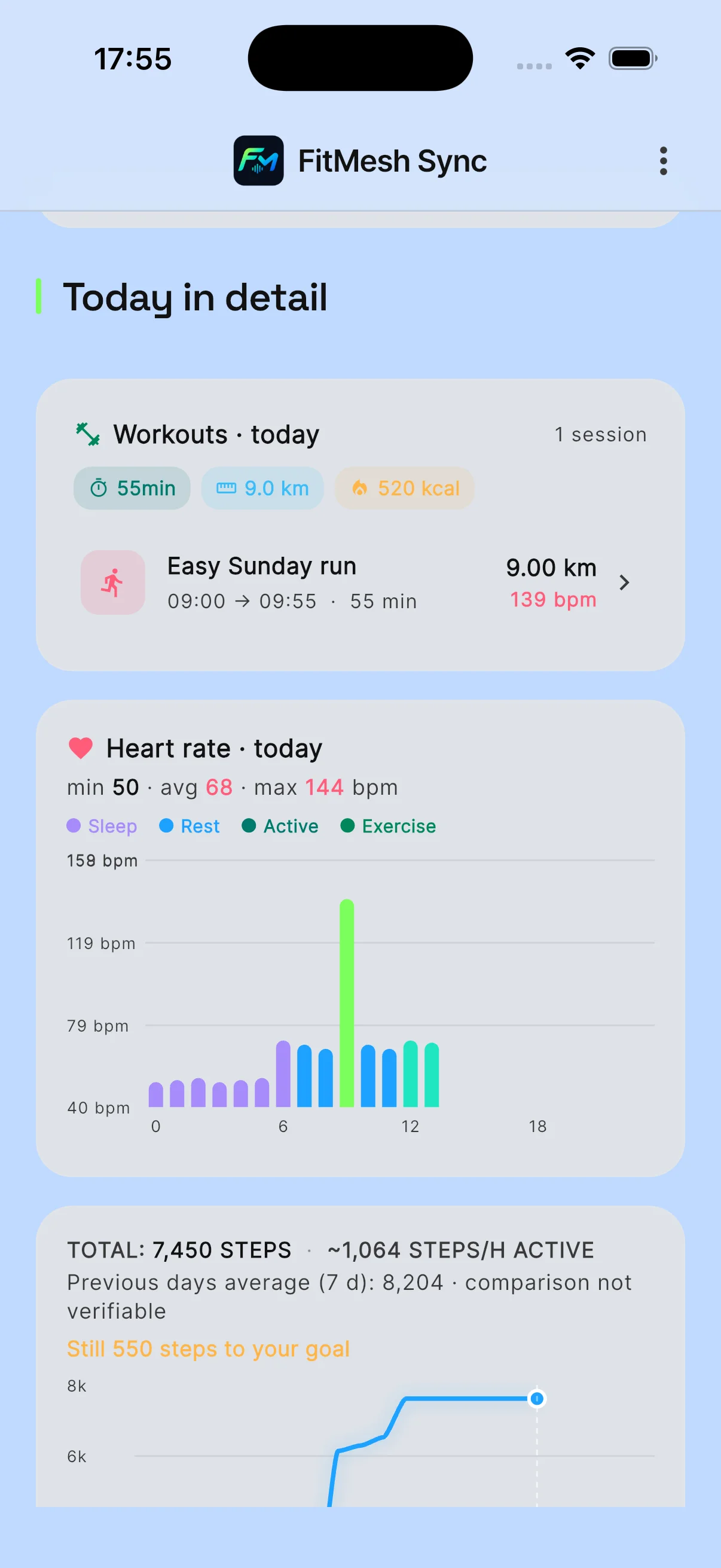
By evening, the app shows the day's steps, the workout recorded with Garmin or Polar and the night's sleep. If more than one device counted steps on the same day, the total is not their sum: the box below explains how FitMesh chooses. For more on overlaps and priorities across several watches, see our guide to duplicate data in Health Connect.
Necessary boundaries: what remains in vendor applications
FitMesh aims to restore your holistic biometric picture, not to duplicate vendor-specific features. Certain proprietary metrics rely on closed algorithms and are not exported into open health frameworks:
- Garmin: metrics such as Body Battery, Training Readiness, and daily suggestions stay inside Garmin Connect (for technical export limits, see our analysis of Garmin Body Battery and Health Connect).
- Polar: Nightly Recharge scores, recovery indicators, and Running Index evaluations stay within the Polar Flow app.
- Apple: Activity Ring closures and motivational awards remain tied to the native Fitness app on iOS and watchOS.
Configuration checklist: steps to get started
- Single account: sign in to FitMesh with the same account on both your iPhone and your corporate Android device.
- iPhone permissions: grant FitMesh read access to Apple Health for steps, workouts, heart rate, and sleep (in Settings → Health → Data Access & Devices → FitMesh).
- Vendor forwarding: open Garmin Connect or Polar Flow and enable syncing to Apple Health (on iOS) or Health Connect (on Android).
- Android permissions: on the secondary phone, grant FitMesh read access (and optional write-back if desired) in Health Connect settings.
- Verification sync: open your companion app to upload wearable data, then launch FitMesh to verify the aggregated timeline.
Quick troubleshooting: if a metric is missing on the second phone
If after a workout you observe that metrics appear on your iPhone but have not yet synced to your corporate Android phone, the first step is to check the multi-step transfer sequence across devices:
- Check the vendor upload: ensure the sports watch has fully synced with Garmin Connect or Polar Flow via Bluetooth or Wi-Fi.
- Inspect the local framework: confirm that the workout is visible inside Apple Health or Health Connect on the primary phone.
- Open FitMesh on the primary phone: its data appears on the second phone only after it has been synced.
- Verify network access on the secondary phone: ensure corporate firewalls or VPN restrictions do not block traffic, then open FitMesh to refresh.
Sources
- Source 1 · support.garmin.com
- Source 2 · support.garmin.com
- Source 3 · support.polar.com
- Source 4 · support.polar.com
Frequently asked questions
Can I simultaneously pair the same Bluetooth watch to two different phones?+
No. Modern sports watches and smartwatches maintain an active Bluetooth bond with only one smartphone at a time. On the second phone you see the data by signing in with the same FitMesh account, once it has been synced: the watch stays connected to one phone.
Does FitMesh export Apple Watch sleep to Health Connect or vice versa?+
FitMesh reads sleep from Apple Health and Health Connect and shows it in its own app. In this version it does not write sleep to Apple Health. One of the reasons: a sleep stage with a label it does not recognise would be written as light sleep, which is sleep nobody measured. On Android, writing to Health Connect is optional: it is turned on with a single toggle in FitMesh, which applies to your account on that phone, and it also needs Health Connect permissions. With the toggle off, FitMesh does not write data to Health Connect.
What happens if I wear my Apple Watch while running with my Garmin watch?+
FitMesh does not add up the steps counted by the two watches. On iPhone the day's total comes from Apple Health: FitMesh uses the total Apple Health calculates across its sources, or the total of the single source with the most steps, if that one is higher. If the Android phone also has steps for that day, FitMesh uses only one of the two sources, chosen by reliability and coverage. The workout recorded with Garmin appears in FitMesh if Garmin Connect shares it with Apple Health or Health Connect. If a number does not look right to you, compare it with the manufacturer's app.
Is the desktop web dashboard currently available to view these metrics?+
The personal web dashboard is not yet available. Family Mesh is in development and is not yet available. We haven't announced a release date. What this guide describes is viewed in the FitMesh app for iPhone and Android.
Disclaimer
FitMesh Sync is an independent product. Apple, Garmin, Polar, Samsung are trademarks of their respective owners. This article implies no affiliation or sponsorship.
Medical disclaimer
The information in this article is for informational purposes only and does not replace advice from your physician, pharmacist or healthcare professional. FitMesh Sync is a fitness/wellness app, not a medical device, and does not diagnose or treat any conditions. For symptoms, clinical questions or treatment decisions always consult your primary care physician.
Written by
Matteo Pizzi
Founder & Solo Dev, FitMesh Sync · Fosforonero
Italian software developer. I built FitMesh Sync to fill the gap between my smartwatch and a real personal dashboard. Privacy-first, indie.
More about the projectKeep reading
Guide
How to sync Garmin with Samsung Health and Health Connect in 2026
Garmin and Samsung Health do not talk directly. Here is the complete setup to get your data flowing to both platforms.
Guide
Polar and Health Connect: how to sync your data to Android in 2026
Polar Flow added Health Connect support in 2023. Here is how to set it up, what syncs, and how to access your Polar data outside the Polar app.
Guide
Garmin Body Battery and Health Connect: which data actually gets through (and which doesn't)
Body Battery isn't data Garmin shares with Health Connect, and FitMesh has no direct Garmin connection today. Here's what actually gets through, and from where.