
Guide
What FitMesh Adds to Your Galaxy Watch Data
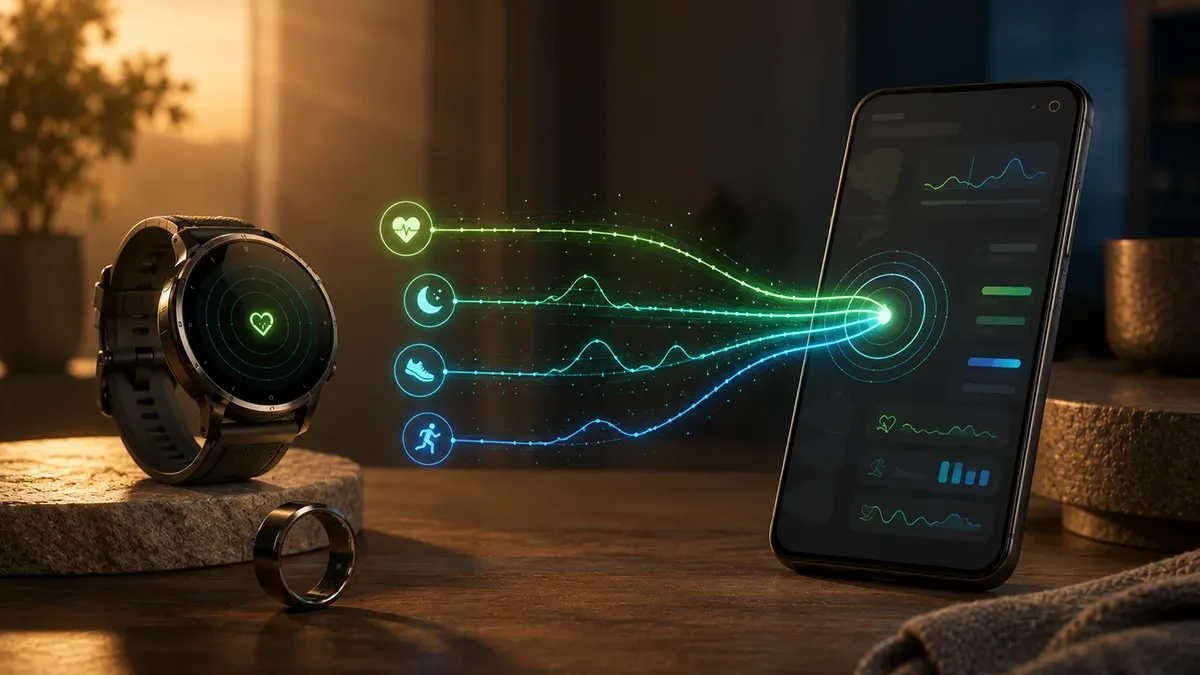
Samsung Health stays the control center for your Galaxy ecosystem. FitMesh adds value when your data also comes from a ring, another app, or another device.
TL;DR
- Samsung Health and FitMesh aren't alternatives: Samsung Health runs your Galaxy ecosystem, and FitMesh adds value when your data also comes from a ring, another app, or another operating system.
- FitMesh reads Samsung Health two ways: through Health Connect (Android's permissions layer) and, on Samsung devices running Android 10+, also through a direct read via the Samsung Health Data SDK.
- When more than one source reports the same value, FitMesh applies fixed, deterministic rules (not AI) to pick which one to use or fill gaps, without ever summing the same value twice.
- FitMesh does not read Samsung's proprietary scores (Energy Score, Daily Cardio Load, Fitness Index, AGEs Index, Heart Health Score) or ECG readings: those stay inside the Samsung Health app only.
- VO2 max isn't currently populated by any real data source in FitMesh, and sleep apnea is a detected/not-detected flag from Samsung Health Monitor, not a clinical AHI index.
If you have a Galaxy Watch, Samsung Health is already the right place to set it up, see live readings, and manage notifications. FitMesh isn't trying to replace it: it comes in when your health data also comes from somewhere else — a smart ring, another smartwatch, or when you switch from Android to iPhone and want to keep your history.
Samsung Health and FitMesh don't do the same job
Samsung Health is your Galaxy ecosystem's native app: it handles Watch pairing, advanced measurements (ECG, stress index, Samsung Health Monitor), Samsung's coaching, and device settings. That stays its job, and FitMesh doesn't touch it. FitMesh is a dashboard that brings together compatible data when you have more than one source: a Galaxy Watch plus a smart ring, for example, or a Galaxy Watch plus an old Fitbit while you're still migrating. For a full technical breakdown of how Samsung Health and Health Connect hand data to each other, the reference guide is health-connect-vs-samsung-health; here we focus on what changes for you once FitMesh sits on top of that.
The direct Samsung path and the Health Connect path
FitMesh reads Samsung Health data two distinct ways, and both coexist. The first is Health Connect: the Android permissions layer shared by every compatible app, always available on Android 8.0+. The second is a direct read via the official Samsung Health Data SDK, active only on Samsung devices running Android 10 or later, and only after you explicitly tap "Connect Samsung Health" in FitMesh's settings — on non-Samsung phones this option stays hidden. The direct read is read-only: FitMesh never writes data into the Samsung Health Data SDK. One important note: direct Samsung authorization also depends on an app registration with Samsung's own services, a step outside FitMesh's code — if in rare cases the direct connection doesn't authorize, the Health Connect path keeps working in parallel. Source: Samsung Developers — Health Data SDK, consulted 2026-08-06.
What FitMesh adds
- A single dashboard when your data comes from more than one source (Galaxy Watch + smart ring, or several devices over time).
- A fixed, deterministic rule for which source wins when two devices report the same value, so you don't see duplicates or inflated counts.
- The ability to choose, per metric, which source should take priority yourself (in Settings), instead of a fixed automatic choice you can't change.
- Continuity when you switch phones or operating systems: the same FitMesh account sees data from both Android and iPhone.
- A JSON or CSV export of your data whenever you want to take it elsewhere.
What Samsung Health does better (and FitMesh doesn't replicate)
- ECG and electrocardiogram readings: Samsung Health Monitor is the only place to read them, FitMesh doesn't import them.
- Samsung's proprietary scores like Energy Score, Daily Cardio Load, Fitness Index, AGEs Index, Heart Health Score: computed and shown only inside the Samsung Health app.
- Samsung's coaching and guided training plans: stay inside the Samsung Health app.
- Watch pairing and setup, firmware updates: only done from Samsung Health/Galaxy Wearable.
- One-off instant wrist measurements (e.g. a single manually-triggered blood pressure or ECG reading): that live flow stays in the Samsung app.
Full feature matrix
| Feature | Samsung Health | FitMesh | FitMesh path | Limit |
|---|---|---|---|---|
| Energy Score | Yes | No | — | Not exposed by the public Samsung Health Data SDK: FitMesh cannot read it. |
| Samsung coaching | Yes | No | — | Samsung Health app-exclusive feature. |
| Watch setup/firmware | Yes | No | — | Managed from Samsung Health/Galaxy Wearable. |
| ECG | Yes | No | — | Clinical data not exposed by the public SDK FitMesh reads. |
| Sleep (stages) | Yes | Yes | Health Connect + direct SDK (Samsung wins if present) | — |
| Heart rate | Yes | Yes | Health Connect + direct SDK (Samsung wins if present) | — |
| SpO2 | Yes | Yes | Health Connect + direct SDK (first available source) | — |
| Skin temperature | Yes | Yes | Health Connect + direct SDK (first available source) | Skin temperature, not clinical core body temperature. |
| Blood pressure | Yes | Yes | Health Connect + direct SDK (first available source) | Requires Samsung Health to have logged it from a manual reading. |
| Body composition | Yes | Partial | Health Connect + direct SDK | Confirmed: weight, height, BMI; fat/muscle mass beyond these isn't confirmed as read. |
| Sleep apnea | Yes (Samsung Health Monitor) | Yes, as a flag | Direct SDK | Detected/not-detected/unavailable flag. NOT a clinical AHI index. |
| HRV | Yes | Yes | Health Connect / ring, not confirmed via the direct Samsung SDK | — |
| VO2 max | Yes (in the Samsung app) | No | — | The field exists in FitMesh's schema but today isn't populated by any real source in the published build. |
| Multiple sources together (ring + watch) | Samsung only | Yes | Dedicated fusion engine, fixed rules (not AI) | — |
| Data export | Limited to the app/Samsung Cloud | JSON, CSV with date-range filter (Pro) | Direct export from Settings | — |
| Cross-platform continuity (Android+iOS) | No (Samsung ecosystem) | Yes | Same FitMesh account | — |
Example: Galaxy Watch plus a Colmi ring
A concrete case: you wear a Galaxy Watch during the day and a Colmi ring at night (maybe because the Watch is charging). Samsung Health only sees the Watch's data. FitMesh reads both sources: for sleep, if both the Watch and the ring logged data for the same night, the fusion rule decides which one to use (it never adds them together); if only the ring logged that night because the Watch was charging, FitMesh fills the gap with the ring's data instead of leaving it blank. For steps, which are a cumulative value, FitMesh doesn't add the numbers together and doesn't simply pick the higher one: it takes the source that's most consistent and has the best hourly coverage for that day; if the sources disagree too much to decide reliably, that day is flagged as uncertain instead.
How deduplication works (briefly)
FitMesh doesn't use AI to decide which data to keep: it applies fixed rules, the same for everyone. For heart rate and sleep, if Samsung Health has a value for that time window, it's normally preferred. For steps, distance, and calories, Health Connect is the baseline and Samsung only fills gaps where Health Connect has nothing. For the other shared metrics (SpO2, skin temperature, blood pressure, etc.) the first available source simply wins. You can still change this priority per metric from Settings if you'd rather have a different default source.
Privacy and cloud
The data FitMesh reads (from Health Connect or the Samsung Health Data SDK) is sent to FitMesh's cloud backend to build your dashboard and keep it in sync across your devices; it doesn't stay only on your phone. Samsung Health separately manages its own Samsung Cloud according to its own settings; turning that off has no effect on FitMesh, which depends on Health Connect and, where available, the direct Samsung Health Data SDK connection.
Who doesn't need FitMesh
If you only have a Galaxy Watch, no other device, and don't need to see your data from the web or another phone, Samsung Health alone is probably enough: it already has everything you need for your single device, including features FitMesh doesn't replicate (ECG, coaching, proprietary scores). FitMesh adds value once things get more complex: more than one device, switching phones, or wanting an export of your data.
Real setup
- Install FitMesh Sync and create or sign in to your account.
- In Settings → Data Sources, authorize Health Connect: this path is available on any Android 8.0+.
- On a Samsung device running Android 10+, also tap "Connect Samsung Health" to enable the direct SDK read: this only appears on these devices.
- If you have more sources (e.g. also a smart ring), connect it the same way: FitMesh applies the fusion rules automatically.
- In Settings → Source Priority, you can change which device wins per metric if you don't want the automatic choice.
Frequently asked questions
Does FitMesh replace Samsung Health?+
No. Samsung Health stays the app for setting up the Watch, reading ECG, coaching, and Samsung's proprietary scores. FitMesh adds a dashboard when your data also comes from other sources.
Does FitMesh read all of Samsung Health's data?+
No. It reads the metrics exposed by the public Samsung Health Data SDK and Health Connect (heart rate, sleep, SpO2, skin temperature, blood pressure, weight/height/BMI, among others). It doesn't read ECG, Samsung's proprietary scores (Energy Score and similar), or coaching.
Does FitMesh sync Samsung data in real time?+
No, it isn't guaranteed to be real-time. FitMesh reads data once Samsung Health has already received it from your Watch (which itself follows its own reconnection timing). For details on this step, see the guide on Health Connect not syncing.
If I uninstall/reset Samsung Health, does FitMesh stop working?+
If you fully disable Samsung Health, the direct-read path and the data that flowed through it via Health Connect stop. If you have other sources connected (e.g. a ring), FitMesh keeps showing those: you only lose the data that came exclusively from Samsung Health.
What is the direct read via the Samsung Health Data SDK, and how is it different from Health Connect?+
Health Connect is the permissions layer shared by every compatible Android app. The Samsung Health Data SDK is a separate official Samsung channel, available only on Samsung devices with Android 10+: FitMesh uses it read-only, alongside Health Connect, to get some data (like the sleep apnea flag) sooner or more completely.
Does FitMesh read VO2 max from Samsung Health?+
No, not today. The VO2 max field exists in FitMesh's data structure, but no real source (Samsung or otherwise) currently populates it in the published build: it stays empty.
Is FitMesh's sleep apnea flag an AHI index?+
No. It's Samsung Health Monitor's own result (detected / not detected / unavailable), not a real clinical AHI (Apnea-Hypopnea Index) score. FitMesh shows this exactly as it arrives from Samsung, without turning it into a clinical score.
What happens if both the Galaxy Watch and another device log the same day's steps?+
FitMesh doesn't add them together, and it doesn't just take the higher number either. It picks the source that's most consistent and has the best hourly coverage for that whole day, not the one with the bigger figure. If the sources disagree sharply and no criterion can decide reliably, that day is flagged as uncertain instead of letting a random value win. Edge cases still remain: FitMesh aims to avoid double counting, but can't rule it out entirely in every case.
Can I choose which device takes priority for a metric?+
Yes, for steps, heart rate, HRV, resting heart rate, stress, SpO2, and weight you can manually set a preferred source from Settings, instead of leaving it to the automatic choice.
Disclaimer
FitMesh Sync is an independent product. Samsung, Galaxy Watch, Colmi are trademarks of their respective owners. This article implies no affiliation or sponsorship.
Medical disclaimer
The information in this article is for informational purposes only and does not replace advice from your physician, pharmacist or healthcare professional. FitMesh Sync is a fitness/wellness app, not a medical device, and does not diagnose or treat any conditions. For symptoms, clinical questions or treatment decisions always consult your primary care physician.
Written by
Matteo Pizzi
Founder & Solo Dev, FitMesh Sync · Fosforonero
Italian software developer. I built FitMesh Sync to fill the gap between my smartwatch and a real personal dashboard. Privacy-first, indie.
More about the projectKeep reading
Comparison
Where Does Your Galaxy Watch Health Data Actually Go?
Not competitors. They work together. But it matters to understand who does what so you don't disable the wrong one.
Guide
How Health Connect works: the complete guide for Android
Health Connect is not just an app: it's the data exchange layer that lets all Android health apps communicate. Here's what it actually does, how it manages your permissions, and what happens when something doesn't work.
Ecosystem
Galaxy Watch Ultra2 & Watch9: Health Connect Data
On July 22, 2026, Samsung unveiled Galaxy Watch Ultra2 and Galaxy Watch9. A metric measured by the watch isn't automatically a metric FitMesh receives: Samsung Health calculates proprietary scores that stay inside its own app, while only raw data reaches FitMesh, through two distinct paths (the direct Samsung Health Data SDK channel and Health Connect). Not every Samsung insight is exportable.